
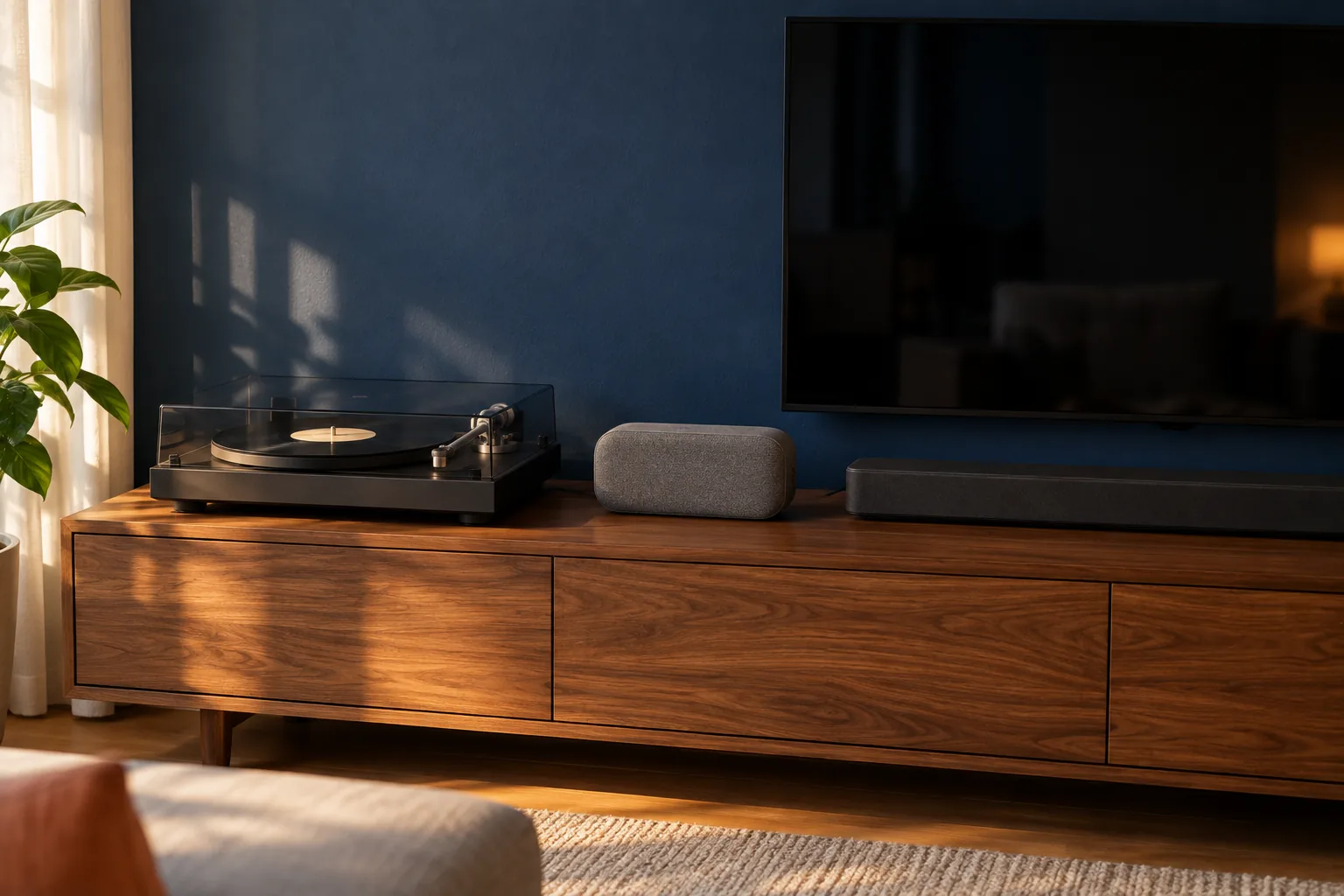
The problem: You have a turntable, and there is already a Bluetooth speaker, a soundbar and a TV in the house. You want to know whether the turntable can go on one of those three without buying an amplifier as well.
The short route: Look for an analogue input first and use it with a cable; switch on the preamp in the turntable. Bluetooth works if there is no other way. If a device has no analogue input, that is the answer.
Connecting a turntable to a Bluetooth speaker, soundbar or TV: preamplification first
Anyone who connects a turntable to a Bluetooth speaker, a soundbar or a TV is using devices that are already in the house, and that is a good idea. There is one thing the three have in common, though: none of them has a phono input. They all expect a signal at line level, just like from a phone or a CD player, and a turntable does not give that out by itself.
The signal from the cartridge in the tonearm is very weak and has to be amplified and corrected first. A phono preamp does that. Many new turntables have one built in, with a switch on the back with the positions phono and line. For everything in this guide that switch is set to line. If your turntable has no switch and no built-in preamp, a separate box goes between the turntable and the device. How to check that and what such a box should cost is in the guide on buying a phono preamp.
If you skip that step you will hear something, but very quiet and thin, without bass. That is not the fault of the speaker or the soundbar. What else to check if it sounds quiet or hums is in the guide on a turntable that hums or makes no sound. The rest of this guide goes through each device: which input to look for, and what to expect from the sound.
Which outputs does your turntable have?
Look first at what is on the back of the turntable. Almost every turntable has two RCA outputs, a red and a white, or a fixed cable with those two plugs on the end. That is the analogue output, and it is the output that sounds best in almost every case.
Some new turntables also have a built-in Bluetooth transmitter. It sends the sound wirelessly to a speaker or headphones, and it only works when the built-in preamp is in use. Some turntables also have a USB connection. That is meant for recording records on a computer, not for connecting a speaker.
If your turntable has no Bluetooth, it can still play wirelessly with a separate small Bluetooth transmitter that you connect to the analogue output. That is a small box with an analogue input that does the same as a built-in transmitter. Here too the preamplification has to have happened first, in the turntable or in a separate box. Do not buy a new turntable for it: a turntable with Bluetooth is a turntable with an extra output, and that extra output does not make it better. What you do look for in a new turntable is in the guide on choosing a turntable.
Connecting a turntable to a Bluetooth speaker: with a cable if you can
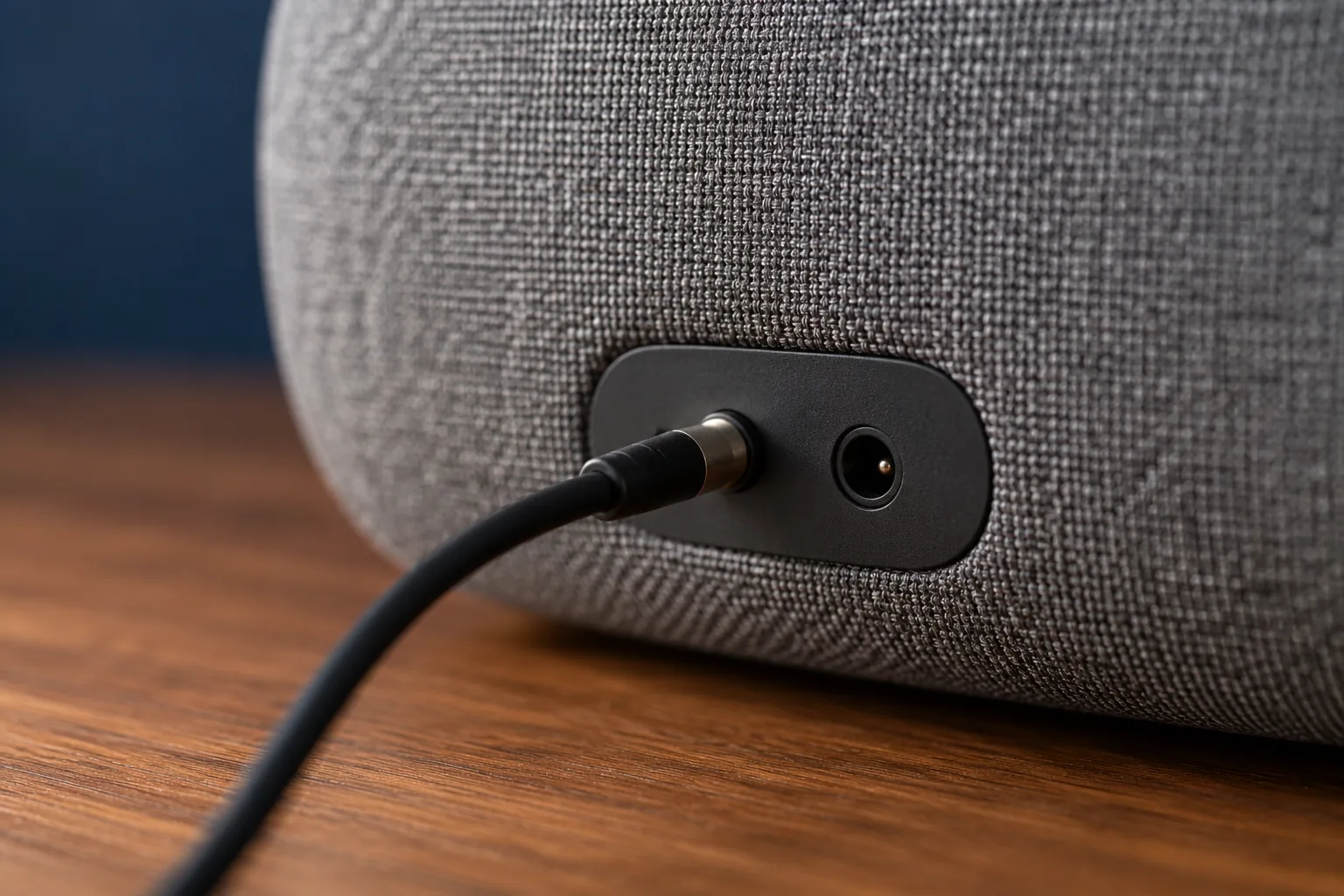
First check whether your Bluetooth speaker has an aux input. That is usually a small round hole for a 3.5 millimetre jack plug, often behind a flap or on the back next to the power socket. Many larger Bluetooth speakers for the home have one, small speakers for on the go less and less often.
If it has that input, use it. You need a cable with two RCA plugs, red and white, on one end and a single jack plug on the other. Such a cable costs a few euros. Set the switch on the turntable to line, set the speaker to the aux input if it has a button for that, and turn the volume up slowly. You do not have to pair anything, there is no delay and nothing of the signal is lost on the way.
If the speaker has no aux input, Bluetooth is the only way. Put the speaker in pairing mode, usually by holding the Bluetooth button for a few seconds, and put the turntable or the separate transmitter in pairing mode too. Keep them close together while pairing. Most transmitters pair with one speaker at a time and remember the last one. If it will not pair, first take other devices connected to the speaker, such as your phone, off Bluetooth for a moment.
Do not put the speaker on the same piece of furniture as the turntable. A Bluetooth speaker often has a lot of bass for its size, and those vibrations reach the stylus through the furniture. At a higher volume that can build up into a booming tone. A place of its own on another cabinet or shelf solves it; more on that is in the guide on speaker placement in a small room.
What Bluetooth does to the sound of a record
Bluetooth works, and for music in the background it is fine. It is good to know what happens on the way, though. The analogue signal from the record is converted to digital in the transmitter and then compressed so that it fits through the air. The common ways of doing that throw part of the information away. How much of it you hear depends on the transmitter, the speaker and your ears, but through a cable nothing is lost.
Bluetooth also adds delay, often a tenth to a few tenths of a second. With a record on its own you hardly notice: you see the stylus drop and hear the music just a little later. It only becomes awkward when you combine it with a picture, or with a second speaker playing over a cable.
The biggest difference is often not in Bluetooth but in the speaker itself. Many Bluetooth speakers are a single box and play the left and right channels together. Then you are really hearing the record in mono, without the space between two speakers that belongs to stereo. That is just as true when you connect it with a cable. For the background it makes little difference. For an album you sit down for, you miss some of it.
Connecting a turntable to a soundbar
With a soundbar, look at the back first. Most have an HDMI connection for the TV, often labelled ARC or eARC, and an optical input. Both are digital inputs, and a turntable does not plug into them directly. Some soundbars also have an analogue aux input, as a small jack socket or as two RCA sockets. Almost all of them can receive Bluetooth.
If your soundbar has an analogue input, use it, with the switch on the turntable set to line. A cable from RCA to RCA or from RCA to jack, depending on the socket, is enough. Then set the soundbar to that input with the remote. If it only has Bluetooth and digital inputs, Bluetooth is the simplest way, with a turntable that has a transmitter or a separate small transmitter.
A soundbar with only digital inputs can be reached by cable through an analogue to digital converter: a box that turns the RCA signal into an optical signal. That works, but it is an extra box and an extra plug in the socket, to make a device do something it was not built for. If Bluetooth already works, such a box adds little.
After that, pay attention to the sound settings. A soundbar is built for voices in films and TV programmes. Many models have a mode that brings dialogue forward, a night mode that makes loud passages quieter and a mode that makes the sound seem wider than it is. For music you switch those off and choose the music or stereo mode. Even then the sound comes from one narrow bar under the TV; that is less space than two speakers with a distance between them, but for many rooms it is a fine start.
Connecting a turntable to a TV: often it cannot be done, and that is the answer
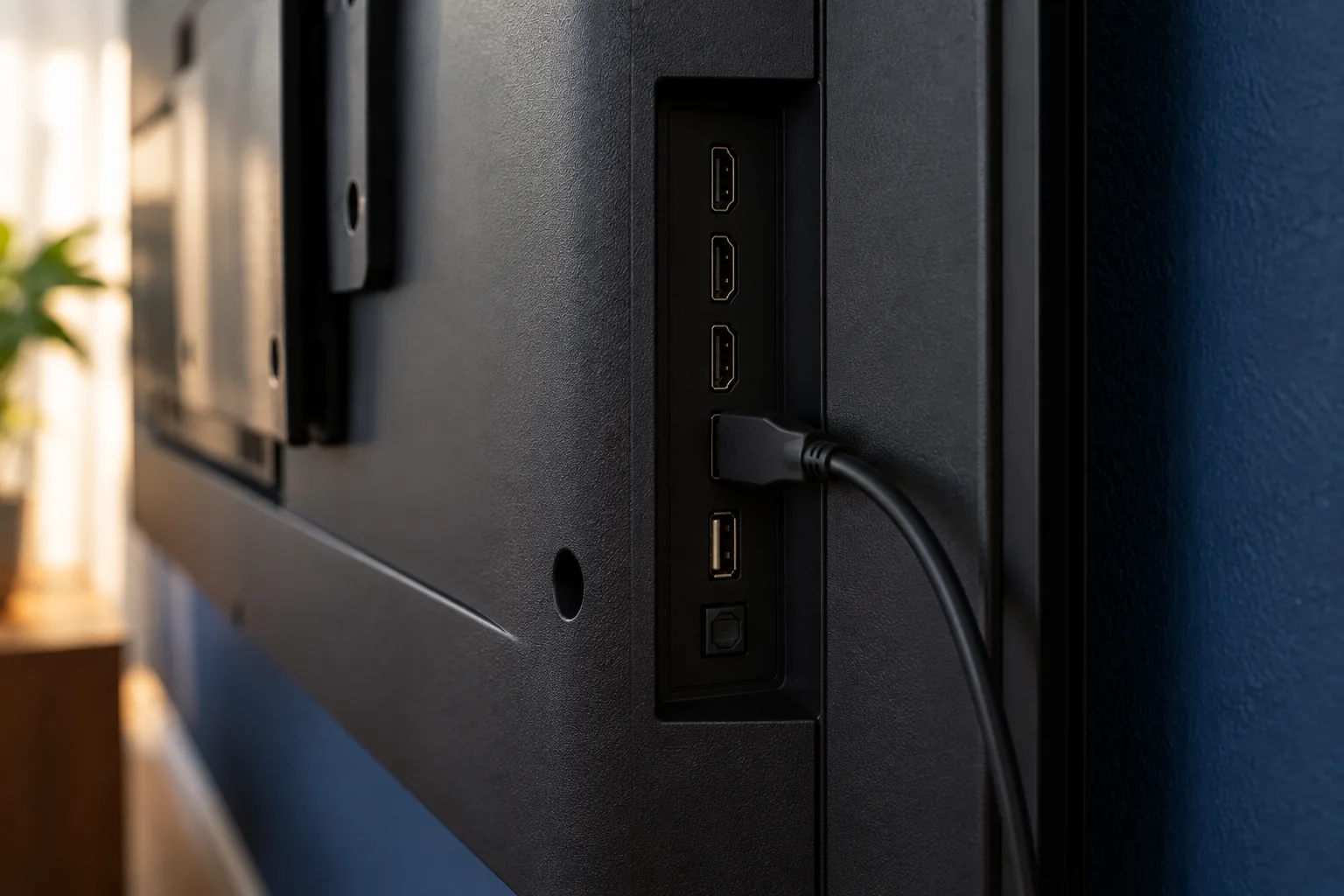
With a modern TV the answer is usually short. Look at the connections on the back or side: HDMI, USB, the aerial and an optical connection. The HDMI and USB connections are digital, and the optical connection and the headphone socket are outputs, not inputs. They send sound out of the TV, to a soundbar or an amplifier. There is then nowhere for an analogue signal from a turntable to go in.
Older TVs sometimes still have an analogue input: a SCART connection, or a row of round sockets at an AV input with a red and a white for the sound. Then the turntable can go on it, with the switch set to line. The sound then comes from the TV's small speakers, which are built for voices rather than music, and the TV has to be on for you to listen.
Do not try to buy your way around it. A converter to send a turntable through the TV to a soundbar makes a long chain of devices that all have to be on, for a sound that is better through a direct connection to the soundbar. If your TV has no analogue input, connect the turntable to the soundbar or the speaker, or to something else.
When you are better off doing something else
If none of the three works well, or it sounds too thin to you, there is a simpler solution than yet another converter. A pair of active speakers has the amplifier built in and an analogue input, sometimes even a phono input. Then the cable goes straight from the turntable to the speaker, in stereo, without Bluetooth and without a TV in between. What to look for in such a set is in the guide on choosing speakers for a living room, and how the cables then run in the guide on connecting your turntable.
If you mostly listen alone and in the evening, headphones can also be an answer. A turntable itself rarely has a headphone output, but some preamp boxes and most amplifiers do. More on that is in the guide on headphones for your turntable.
What you certainly do not need to buy for this guide: a new turntable because it has Bluetooth, or an expensive cable. An ordinary cable from RCA to jack or RCA to RCA is enough. The only thing you sometimes really need is a phono preamp, if your turntable has none of its own. None of the three devices in this guide has one, so without a box only a quiet, thin signal comes in.
Frequently asked questions
- Can I connect a turntable to a Bluetooth speaker?
- Yes. If the speaker has an aux input, use an RCA to jack cable and set the switch on the turntable to line. Without an aux input it goes over Bluetooth, with a turntable that has a built-in transmitter or with a separate small transmitter on the analogue output.
- Can I connect a turntable to a soundbar?
- Usually, yes. If the soundbar has an analogue aux input, use that with the preamp in the turntable switched on. If it only has HDMI and an optical input, Bluetooth is the simplest way. For music, set the soundbar to its music or stereo mode.
- Can I connect a turntable to my TV?
- Only if the TV has an analogue input, such as SCART or a red and white audio input at the AV input. Many modern TVs only have HDMI, USB and an optical output, and then it cannot be done. Connect the turntable to the soundbar or a speaker instead.
- Do I need a preamp for a Bluetooth speaker?
- Yes, a Bluetooth speaker has no phono input. If your turntable has a built-in preamp, set the switch to line. If it has none, a separate phono box goes between the turntable and the speaker or the Bluetooth transmitter.